Configuration

To use LiteLLM proxy with OpenHands, you need to:
  1. Set up a LiteLLM proxy server (see LiteLLM documentation)
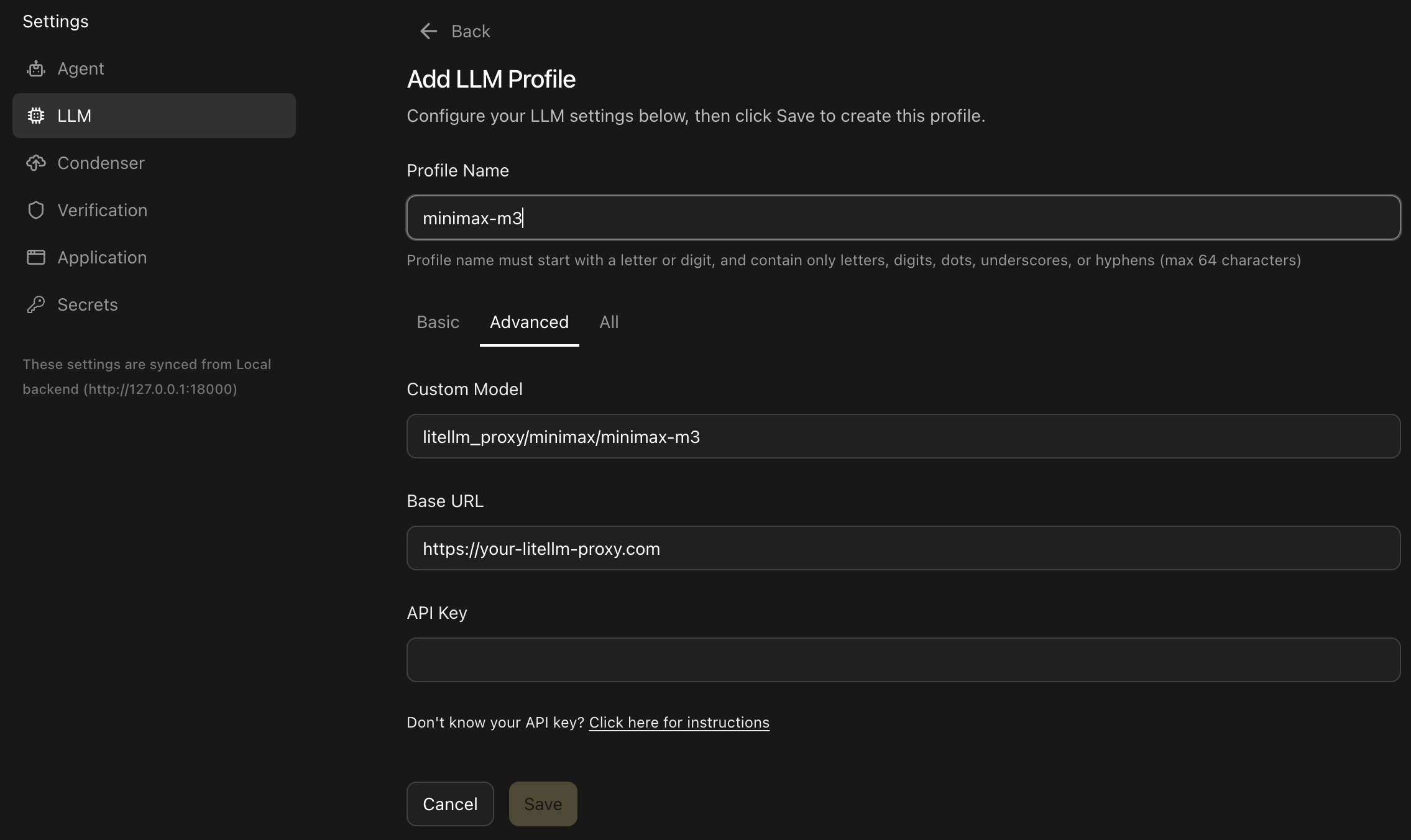
  2. When running OpenHands, you’ll need to set the following in the OpenHands UI through the Settings under the LLM tab:
  • Enable Advanced options
  • Custom Model to the prefix litellm_proxy/ + the model you will be using (e.g. litellm_proxy/anthropic.claude-3-5-sonnet-20241022-v2:0)
  • Base URL to your LiteLLM proxy URL (e.g. https://your-litellm-proxy.com)
  • API Key to your LiteLLM proxy API key
Here’s an example profile configured for a LiteLLM proxy model: LiteLLM proxy LLM profile configuration in OpenHands

Supported Models

The supported models depend on your LiteLLM proxy configuration. OpenHands supports any model that your LiteLLM proxy is configured to handle. For the model names and providers LiteLLM can route, see the LiteLLM model catalog. Your OpenHands configuration should use the model name exposed by your LiteLLM proxy.

Helpful LiteLLM Docs

For common next steps after setup, these LiteLLM docs are especially useful: